DarkOrbit on Mac – Complete Guide for macOS Players (2026)
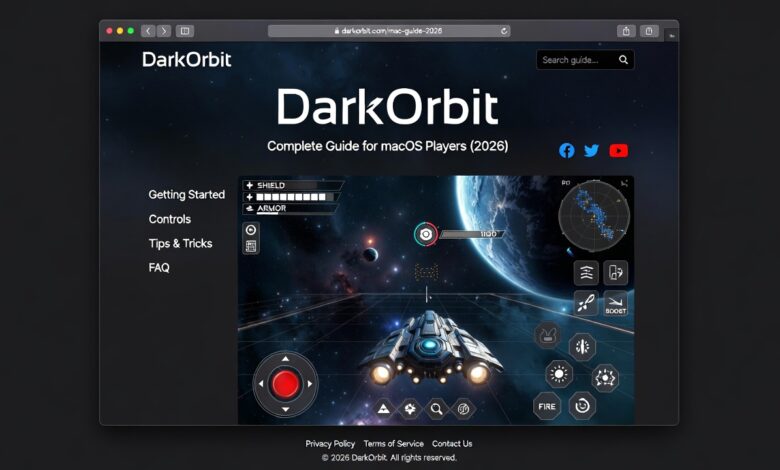
DarkOrbit is one of the most popular space-based MMO browser games ever created. For many years, players enjoyed it directly through web browsers. However, as technology evolved and browser support changed, especially with the removal of Flash, many Mac users became confused about how to play DarkOrbit on macOS.
If you are a Mac user and want to play DarkOrbit smoothly in 2026, this complete 1500+ word guide will explain everything you need to know. We will cover installation methods, performance optimization, system requirements, troubleshooting, advantages, disadvantages, and tips for smooth gameplay on Mac.
Can You Play DarkOrbit on Mac?
Yes, you can play DarkOrbit on Mac.
Although DarkOrbit was originally browser-based, it now runs through a downloadable client. This makes it easier and more stable to play on modern systems, including macOS.
Mac users no longer need Flash or special browser tricks. Instead, you can install the official game client and enjoy the full experience.
How to Play DarkOrbit on Mac (Step-by-Step)
Step 1: Create or Log into Your Account
Go to the official DarkOrbit website and:
- Create a new account
or - Log in with your existing account
Make sure your account is verified and connected properly.
Step 2: Download the DarkOrbit Client
Since browser Flash support ended, DarkOrbit now uses a standalone client.
Download the official macOS-compatible client from the DarkOrbit website.
Important:
Only download from the official source to avoid security risks.
Step 3: Install the Client on macOS
After downloading:
- Open the .dmg file
- Drag the DarkOrbit application into your Applications folder
- Open the game
If macOS blocks the app:
- Go to System Settings
- Open Security & Privacy
- Allow the app manually
Step 4: Log In and Start Playing
Once installed:
- Enter your username and password
- Select your server
- Launch the game
You are now ready to explore space on your Mac!
System Requirements for Mac (2026)
Although DarkOrbit is not extremely demanding, you still need decent hardware for smooth gameplay.
Minimum Requirements:
- macOS 10.13 or higher
- 4 GB RAM
- Intel i5 processor or equivalent
- Stable internet connection
Recommended Requirements:
- macOS 12 or higher
- 8 GB RAM
- SSD storage
- Stable high-speed internet
Better hardware ensures smoother PvP fights and large battle performance.
Performance on Mac – Is It Good?
DarkOrbit generally runs well on Mac systems, especially newer MacBooks and iMacs.
However, performance depends on:
- Your RAM
- CPU power
- Internet speed
- Background applications
Mac devices with Apple Silicon (M1, M2 chips) usually perform very smoothly.
Older Intel-based Macs may experience minor lag during large PvP battles.
Graphics Settings for Better Performance
To improve performance on Mac:
- Lower graphic quality inside settings
- Disable unnecessary effects
- Reduce background apps
- Use full-screen mode
- Keep macOS updated
These adjustments reduce lag during heavy fights.
Common Problems on Mac and Solutions
1. Game Not Opening
Solution:
- Check Security & Privacy settings
- Allow the app manually
- Reinstall client
2. Lag During PvP
Solution:
- Lower graphic settings
- Close other applications
- Restart router
3. Black Screen Issue
Solution:
- Update macOS
- Update graphics drivers (if available)
- Reinstall client
4. Login Problems
Solution:
- Reset password
- Check server status
- Clear client cache
Advantages of Playing DarkOrbit on Mac
1. Stable Operating System
macOS is known for stability. Many players experience fewer crashes compared to some older Windows systems.
2. Smooth Multitasking
Mac handles background tasks efficiently, which helps when running Discord or streaming.
3. Clean Interface
Mac’s display quality makes the space graphics look sharp and colorful.
4. Apple Silicon Performance
Newer Macs with M1/M2 chips offer excellent performance with low heat and noise.
Disadvantages of Playing on Mac
1. Fewer Custom Tools
Some third-party gaming tools are designed mainly for Windows.
2. Compatibility Issues (Rare)
Sometimes new updates may temporarily cause compatibility issues on macOS.
3. Higher Device Cost
Mac devices are generally more expensive than Windows PCs.
Mac vs Windows for DarkOrbit
| Feature | Mac | Windows |
|---|---|---|
| Stability | High | High |
| Customization | Limited | More options |
| Performance | Excellent on new models | Excellent |
| Price | Expensive | Affordable range |
| Optimization | Good | Slightly more flexible |
Both platforms can run DarkOrbit well. It depends on your hardware.
Best Mac Devices for DarkOrbit (2026)
If you are planning to buy a Mac for gaming:
Good options include:
- MacBook Air M1/M2
- MacBook Pro M1/M2
- iMac (new generation)
These devices handle DarkOrbit smoothly, especially for PvE and moderate PvP.
Tips for Competitive Players on Mac
If you are serious about PvP:
- Use wired internet instead of WiFi
- Close all background apps
- Use cooling pad (for laptops)
- Keep storage space free
- Regularly restart your system
These tips ensure consistent performance during clan wars and big battles.
Is DarkOrbit on Mac Safe?
Yes, if you:
- Download from official website
- Avoid unofficial bots or tools
- Keep macOS updated
- Use strong passwords
Security is very important in MMO games.
Can You Use External Mouse and Keyboard?
Yes, and it is recommended.
Using:
- Gaming mouse
- Mechanical keyboard
Improves reaction time and control during fights.
Mac supports most USB and Bluetooth gaming devices.
Internet Requirements
DarkOrbit is an online MMO.
For smooth gameplay:
- Minimum 10 Mbps connection
- Stable ping below 50 ms
- Avoid packet loss
Lag in PvP can cause defeat even if your ship is strong.
Is It Worth Playing DarkOrbit on Mac in 2026?
Yes.
DarkOrbit continues to have:
- Active players
- Regular events
- Competitive PvP
- Clan wars
- Equipment upgrades
Mac users can fully enjoy the experience without major limitations.
The client-based system makes the game more stable than old browser versions.
Beginner Advice for Mac Players
If you are new:
- Focus on farming first
- Avoid unnecessary spending
- Join a clan
- Learn configuration switching
- Participate in events
Performance on Mac will not limit your progress if you play smart.
Advanced Advice for Mac PvP Players
- Keep graphics optimized
- Use proper drone formations
- Practice fast config switching
- Monitor CPU usage
- Update client regularly
Skill matters more than platform.
Final Thoughts
Playing DarkOrbit on Mac in 2026 is completely possible and smooth for most modern systems. Thanks to the standalone client, Mac users no longer face Flash-related issues.
If you have a decent Mac with enough RAM and stable internet, you can enjoy:
- Smooth PvE farming
- Competitive PvP
- Galaxy Gate runs
- Clan wars
Mac devices, especially Apple Silicon models, provide stable and efficient performance for DarkOrbit.
Whether you are a beginner or an advanced pilot, playing DarkOrbit on macOS is a reliable and enjoyable experience.